For years I’ve wanted Winamp on the Mac, playing the music I stream now. Building a native Mac application seemed like a daunting task, so an idea it stayed. Once I had access to Claude, I wanted to see if this dream could become a reality.
Starting with the Design
Before building anything, I wrote a quick prompt in a Claude Design session:
I want to build a native macOS application that can connect to <streaming service> to list tracks to play and then allows streaming playback. I want something minimal – I like the classic design of Winamp
It did some thinking and shot back an impressive interactive prototype! Go ahead, click around:
Starting the Build
We started with the biggest unknown – could the app talk to the music service at all? If not, the whole idea was a bust. Claude built a quick prototype with Xcode to test and it worked! The build was on.
During the next 90 minutes, the commits were fast and furious. At the end of the session, we had a Winamp-inspired app that could display my favorites, collapse into windowshade mode and, most importantly, stream actual audio.
Refinements
As we worked through the build, some of the design elements needed attention. I liked the idea of displaying an audio visualization, but making this work with streaming audio ended up being a difficult undertaking if it was possible at all. Rather than go with a simulated visualization (which I thought looked cheesy), I had Claude mock up some alternatives:
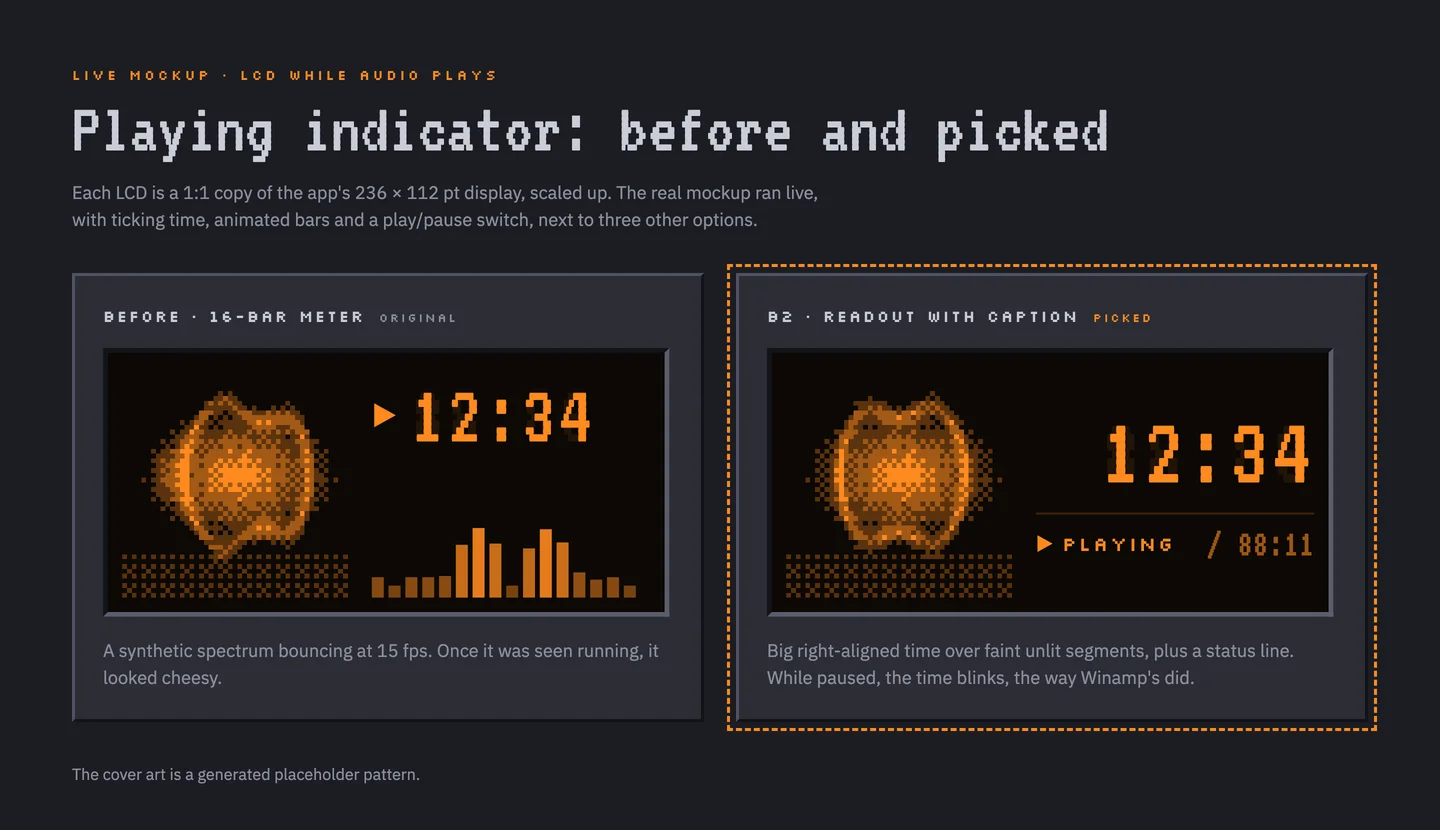
I went with the cleaner style on the right and Claude was able to quickly integrate it into the rest of the UI.
After that, every addition, like docking the library next to the player, started as a similar interactive mockup. What an amazing experience – now I was the customer, picking and choosing the elements of my ideal audio player.
Made for Me
Since I’m the only customer, the player functions the way I want – it responds to the Mac playback keys, has shortcut mappings for display toggling (including windowshade mode), and in true Winamp style, pixelates the current track’s cover art during playback.
With the traditional software development model, a product is only viable if it has wider appeal to justify a larger install base. Even then, the developers’ choices apply to all users even if they don’t match their mental model or workflow. With agentic development, a small app needs only an audience of one.
Debugging UI Issues on an Older Mac
This is the workflow that really blew my mind!
I do most of my development on a Mac mini at home running macOS Sequoia. My MacBook Air runs Ventura, a couple of versions behind, so when I loaded a version of Cloudamp on it, I realized that hiding the playlist caused the bottom of the main player UI to get cut off.
Usually this would be an easy fix, but I was away from home and had only my laptop and iPhone.
Luckily my Claude session at home was still open in Remote Control, so I took a photo of the screen showing the issue and sent it from my iPhone. Within minutes it uploaded a fixed build to the session on my phone, which I downloaded and AirDropped to my laptop.
What a time to be alive!
Where It Stands
So far, Cloudamp is on release 0.4.2 and I’m using it every day across all my Macs. It’s come a long way from that original design prototype, and ongoing refinements are just a prompt away:
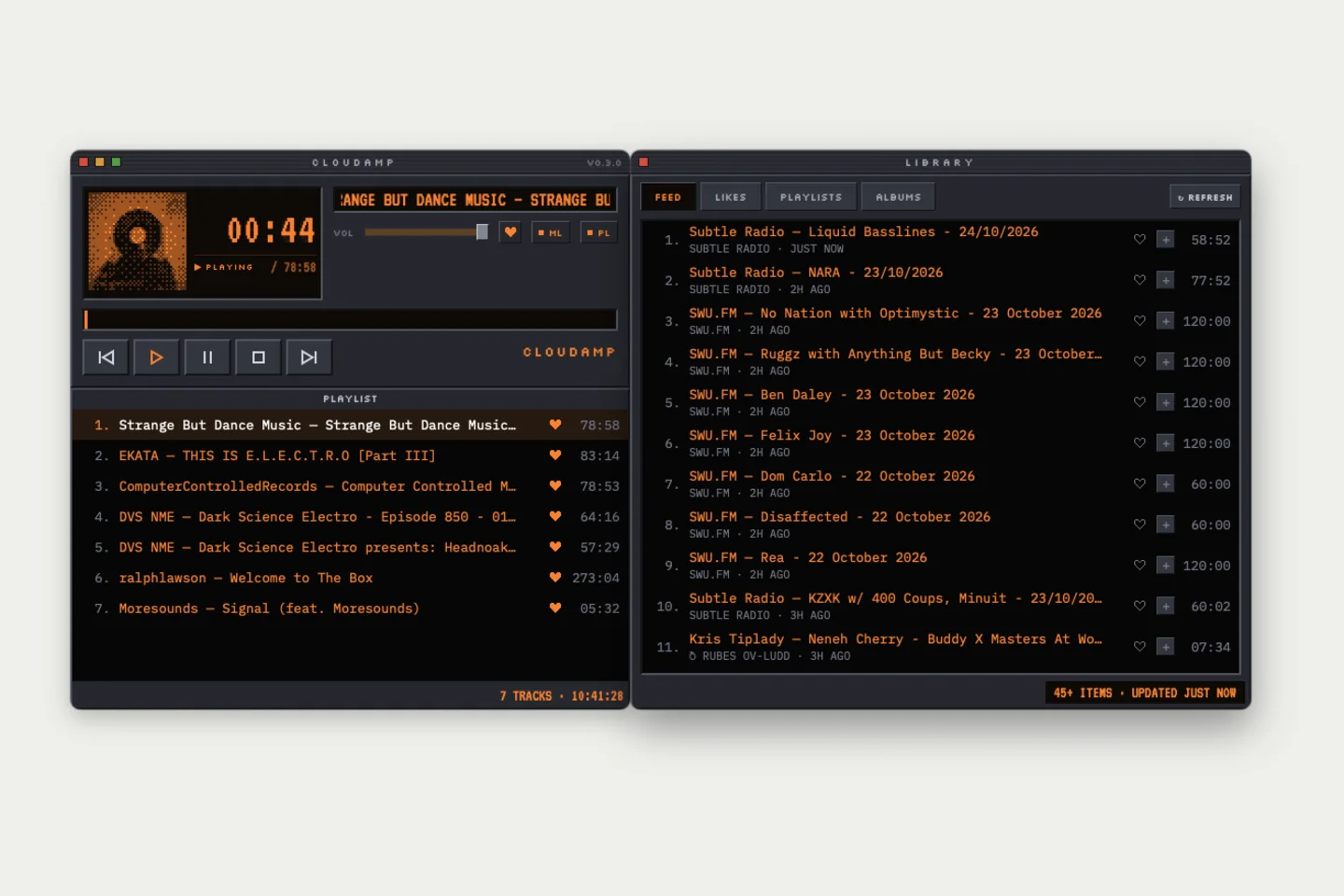
I’m having a great time building software for me again and I think this latest version really “whips the llama’s ass.”